Processes
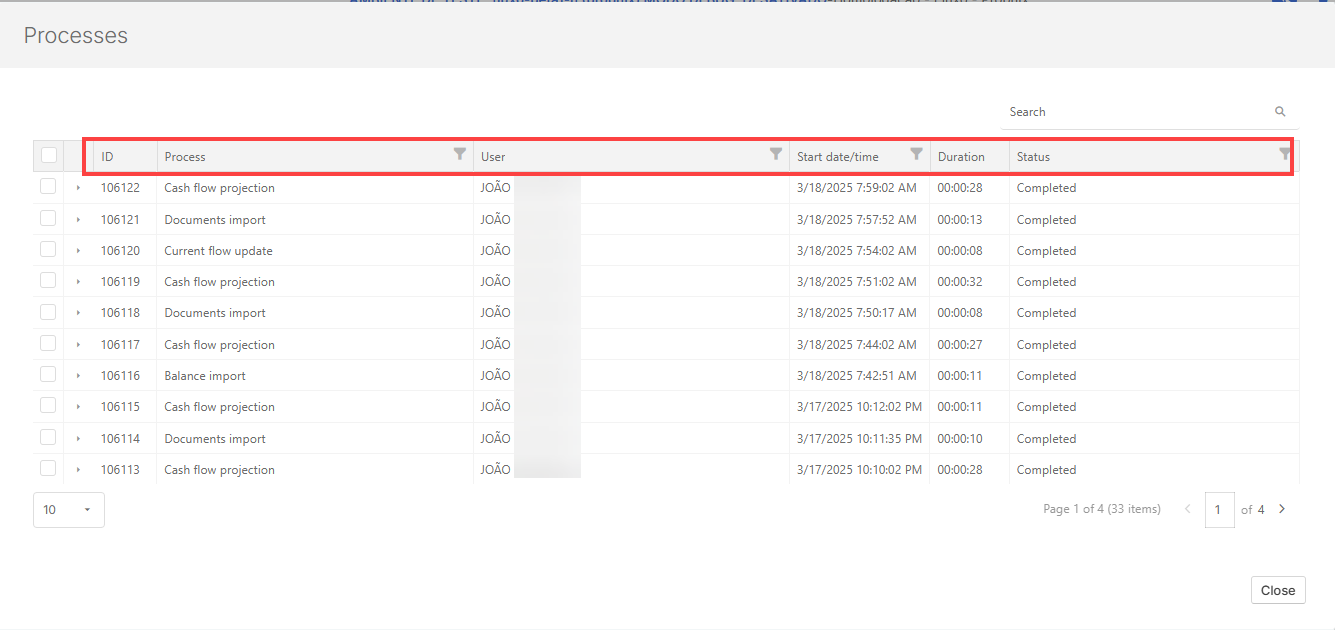
The Processes page is your go-to hub for tracking and managing system activities in Cash Management. Whether you are running integrations, importing data, or projecting forecast calendars, this tool helps you stay informed and in control. For each process, key details such as request duration, execution status, responsible user, start date and time, and overall status are available.
Access the Processes page
Navigate to  Options Settings > Processes.
Monitor processes
The Process center enables tracking and analysis of various processing tasks within the system. These include:
-
Integrations (via files, API, or Integrator Agent)
-
Projections for forecast calendars and contracts
-
Import of bank statements for reconciliation
-
File maintenance actions including data uploads and updates
All executed processes are logged in the Process center and remain accessible for future reference. This feature is essential for identifying and addressing issues during the cash flow processing stages.
View status and details of an ongoing process
During the execution of any integration or projection process, the system displays a "Process is in progress!" alert in the upper-right corner of the interface.
To view the status and details of current processes:
-
Click the ‘Process in progress’ .
-
A summary containing the start date/time, executing user, duration, and current status is displayed
Cancel an active process
To cancel an ongoing process, select it and cancel it.