Integration status
The API page allows you to monitor and configure data imports performed through Data Integration.
View integration logs
The API page displays a table with details for each integration, including identification, timestamps, window type, position, and status. Use this area to verify that data imports were completed successfully or to troubleshoot integration errors.
Integration status
Each integration can have one of the following statuses:
-
In Progress: The integration process has started.
-
Successful: The integration completed successfully with no data inconsistencies.
-
Successful - with unclassified items: The integration completed successfully, but some data contains inconsistent or missing parameters. These values are included in the cash flow.
-
Successful - with discrepancies: The integration completed successfully, but some data was identified as incorrect and was not accepted by Cash Management. These values are not included in the cash flow.
-
Successful - with unclassified and divergent items: Combines both unclassified and discrepant situations in a single integration.
-
Unsuccessful: An error occurred during the integration process. Logs are displayed for each stage to help identify when and why the error occurred.
-
Canceled: The integration was canceled, either by user request or automatically when a new integration starts while another is still in progress.
Set integration parameters
The Integration parameters button opens a configuration window where you can define how and when imports are processed.
The Integration Window helps control the volume and period of data imported during integration.
It defines the starting date for importing settled documents and balances into the system. Data is imported from the window date up to the current position, while all unsettled documents are always imported.
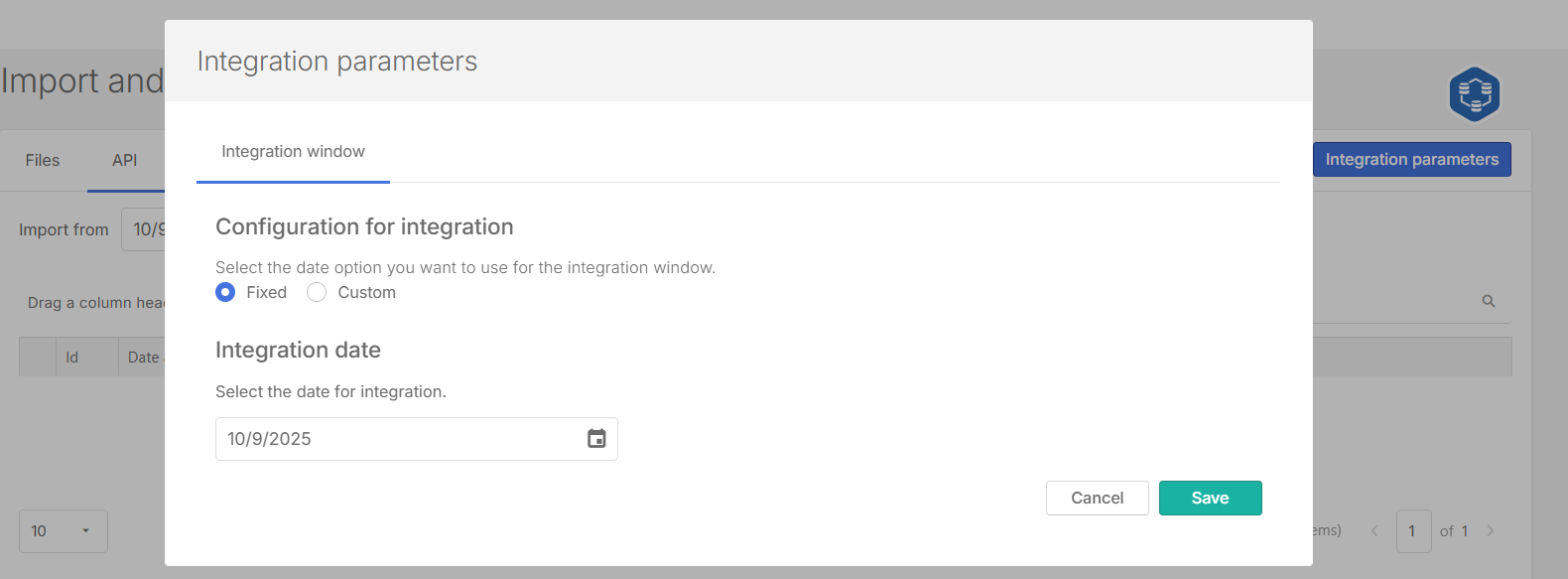
You can:
-
Select the Integration window – choose whether the integration will use a Fixed date or a Custom date range.
-
Fixed:Allows you to set a specific Integration date – specify the date that the system will apply for the data import.
-
Custom: Allows you to define a new date each month, or specify a number of days or months before the current position.
-
After the parameters are defined, the system uses these settings each time data is imported from Data Integration.