Aging
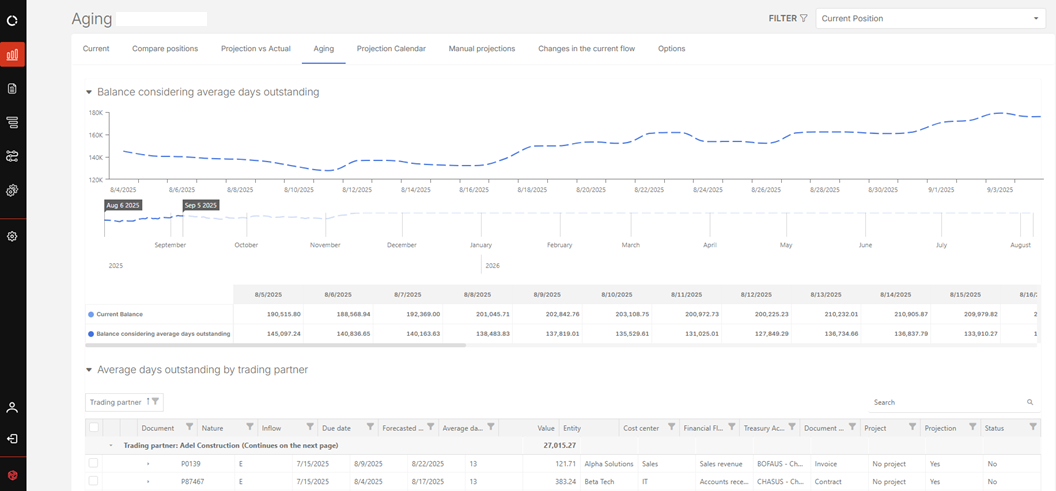
The Aging page provides a detailed analysis of overdue documents and future projections, including the impact of defaults. It helps identify overdue, delinquent, and upcoming amounts organized by day ranges to support financial risk monitoring.
Note: Configuration is required prior to using this page. See Aging Settings.
Access the Aging page
Navigate to  Cash flow >Aging.
Aging Settings
Before using the Aging page, you must configure the settings via Cash Management > Options:
-
Define the day ranges that will group overdue and future documents (e.g., 1–30 days, 31–60 days).
-
Create as many ranges as needed, for example:
Range Period 0 01-30 days 1 31-60 days 2 61-90 days 3 91-120 days For details, refer to the Options article.
View Aging information
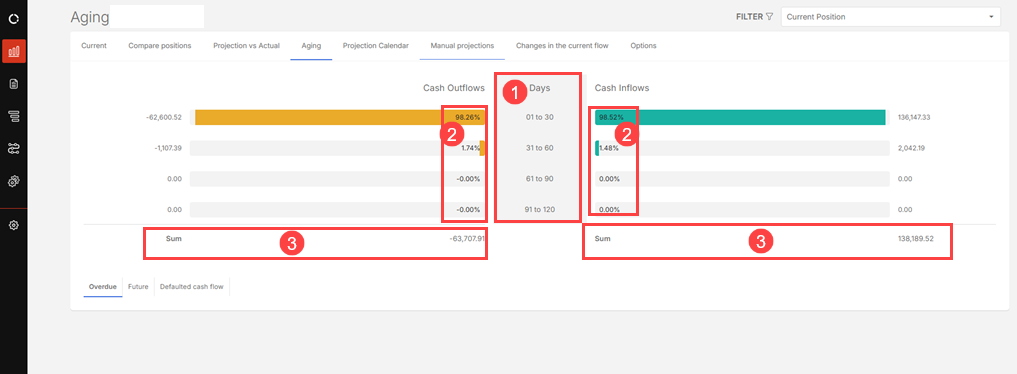
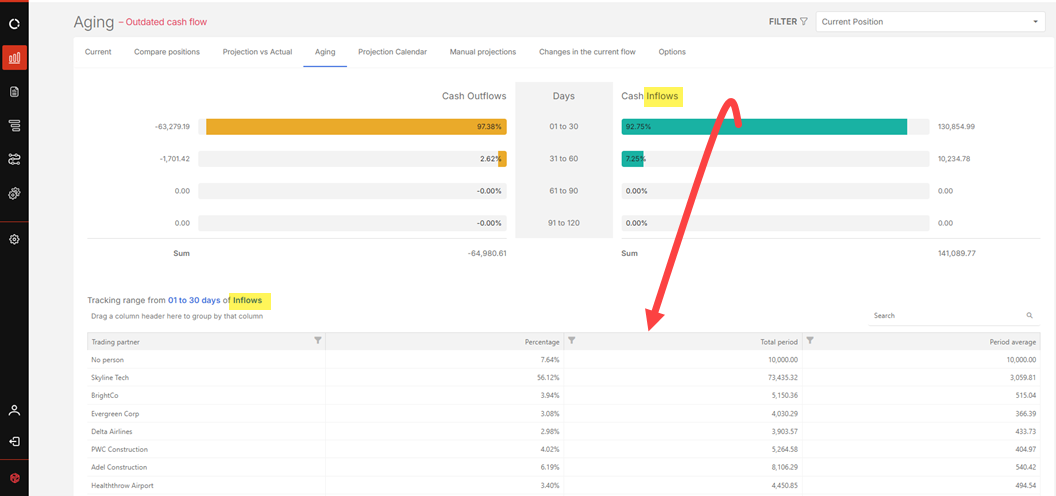
Once configured, the Aging page displays data for both overdue and upcoming documents:
-
The defined day ranges

-
The default percentage relative to the total

-
Total values grouped by range, for both inflows and outflows

By selecting a specific range in the outflow or inflow column, you can view:
-
Name of the trading partner in default
-
Individual default percentage
-
Total overdue amount for the period
-
Average number of default days
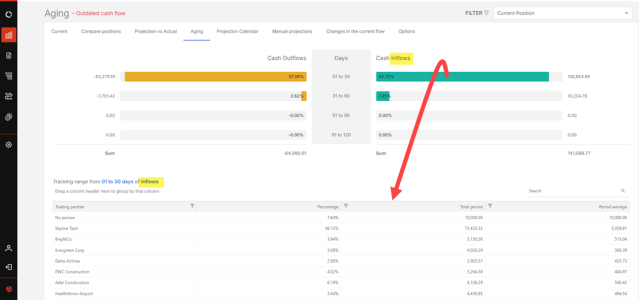
This analysis allows for a careful and detailed understanding of financial behavior, facilitating risk control in cash flow.
-
Cash flow with default
The Aging functionality supports detailed analysis of default impact in cash flow via two approaches:
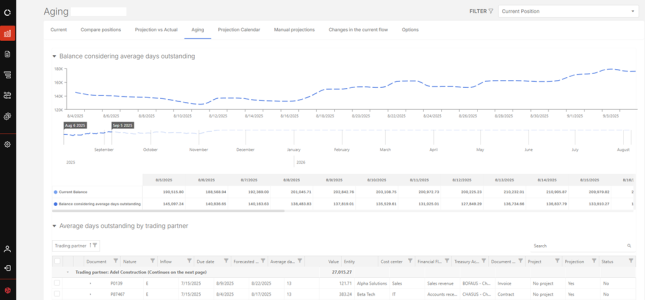
Overdue Balance comparison
Click the Overdue tab (default selection).
-
Compares the current cash flow balance with the balance including defaults.
-
Incorporates defaulted documents to assess their effect on financial position.
Note: To view the details of the overdue documents for the Inflows or Outflows, select a specific range in the outflow or inflow column and then, click on a trading partner.
Monitor defaults by trading partner
Click the Defaulted cash flow tab.
-
Displays a list of delinquent documents by trading partner.
-
Enables:
-
Detailed view of each document. In the Document column, click the expand icon beside the Document number to view details.
-
Analysis of each customer or supplier’s default behavior
-
Filtering and exporting of data for targeted analysis. From the Export files from options choose the volume of data (All or Selection) to export.
-